Tag: Technology

All things tech-related!

  • Sony Mavica – a floppy disk camera

    I’ve been into “vintage” digital cameras for a while (vintage meaning roughly pre-2008, at least for most electronics). This is the camera that sparked my interest in the first place: a Sony Mavica FD75 that I found for $15 at a local thrift store.
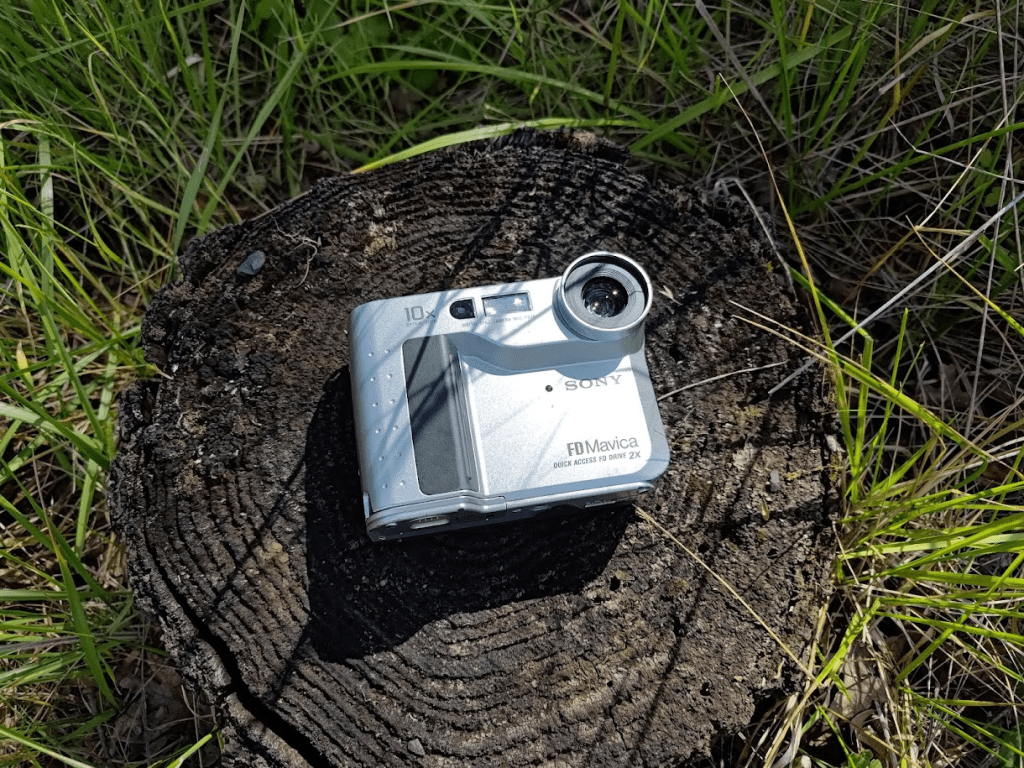
    From 2001, this oddly-shaped camera is a product of the early era of digital cameras, when the much-smaller digital sensors (compared to film) meant designers could experiment with new form factors – in this case, putting the lens/sensor in the top corner of the camera body.

    The unique thing about this camera though isn’t how it looks – it’s how it stores photos. This camera has a floppy drive built in, and it takes regular old 3.5″ floppy disks. This seems odd, but was actually a really good move for Sony. Flash memory was expensive and new, and required dedicated readers, which made the already high barrier to digital photography higher. But almost everyone had a floppy drive on their home computer, and dozens of floppy disks lying around.
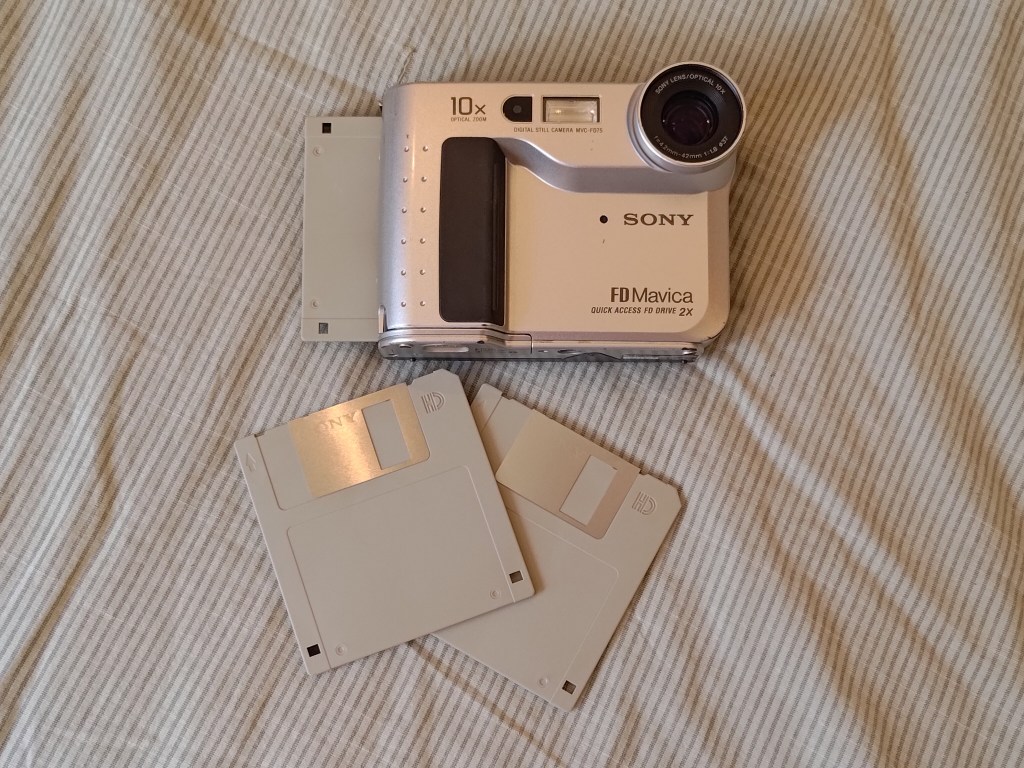
    Each floppy disk holds 1.44MB of data, which translates to about 17 photos in the high-quality setting, probably about 20-24 in normal quality – pretty comparable to film, which held about 24-36 shots per roll.
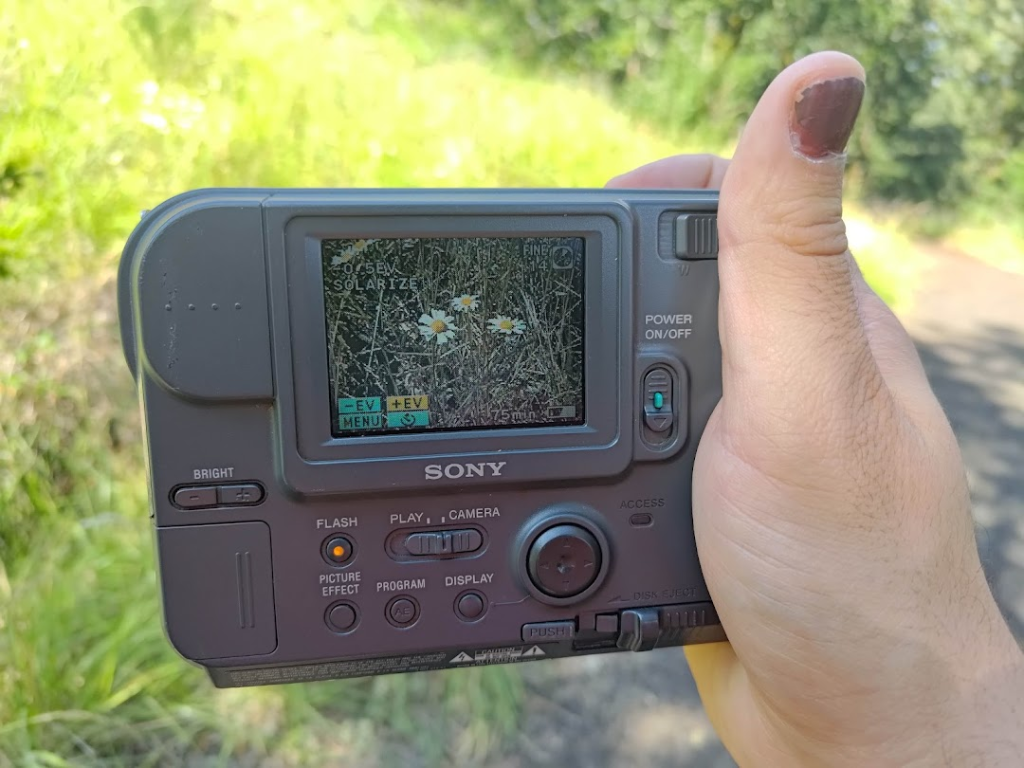
    I like using this camera a lot – it has fun little sounds, lots of buttons on the back, and it feels tactile to use in a way shooting with a smartphone doesn’t. The bloops and beeps it makes (characteristic of these early 2000’s Sony cameras) makes taking pictures almost feel like a game. Each picture takes a few seconds to save, accompanied by a little animation on-screen while the internal drive grinds and clunks as it writes the data.

    So – how do the photos look? Well, to cut down on cost, they used a sensor that only supports a resolution of 640×480 pixels. To be fair, that’s standard resolution, and most computer monitors’ maximum back in 2001. Nowadays though, they look pretty pixelated.

    Marys Peak.

    Depending on what size screen you’re looking at these on, they might actually look fine – especially if you’re viewing this page on a smartphone.


    The view from Chip Ross Park.

    The camera has a couple of picture modes – the photo above was taken in “Solarize” – which simplifies the color palette to fewer colors, like computers from the 80’s and early 90’s sometimes were.
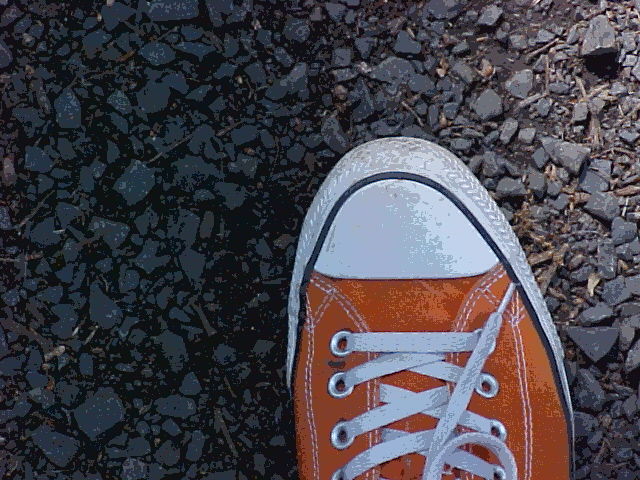
    Another photo taken with the solarize effect.

    Despite the tiny sensor size and minimal dynamic range, I managed to get some decent photos.

    The 10x optical zoom makes this camera a lot more versatile than it otherwise would be, and it’s surprisingly decent at focusing.

    This photo was taken at 10x zoom. It’s hard sometimes to tell if it didn’t focus, or if the photo is just so low-quality that it’s that blurry.

    This photo shows something really interesting – notice the diamond shaped bokeh (the blurs of light in the background) – this indicates that the aperture in the lens (the hole that varies in size to let in more or less light) is a square shape (or diamond if you wish) – another cost-cutting measure. This would usually be pretty undesirable, but I really like the effect here. Portraits with this would be fun.

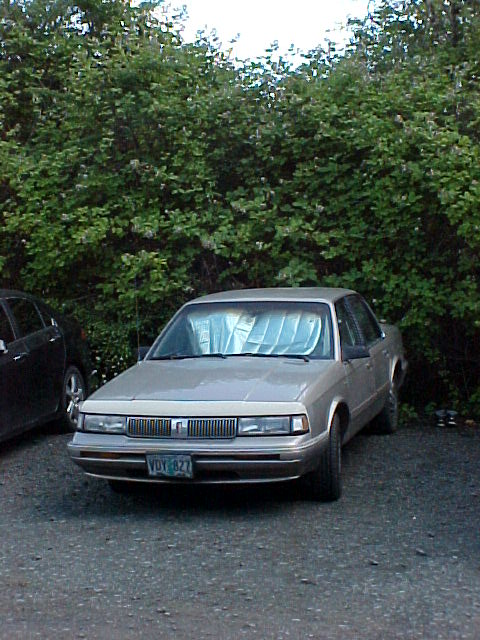
    This car would have been much newer when this camera first came out.
    Another view of Marys Peak, the tallest peak in the Oregon Coastal Range.
    Despite the fuzziness, this camera actually does really well with exposure, white balance, and colors.

    Believe it or not, this is actually not the worst digital camera I’ve used! That award would go to the GameBoy Camera. It isn’t even the second worst! That’s a tiny old Vivitar camera that was just awful.

    All for now!

  • Vintage Space Laptop? (GRiD Compass II)

    Uh oh, another pre-travel blog post!

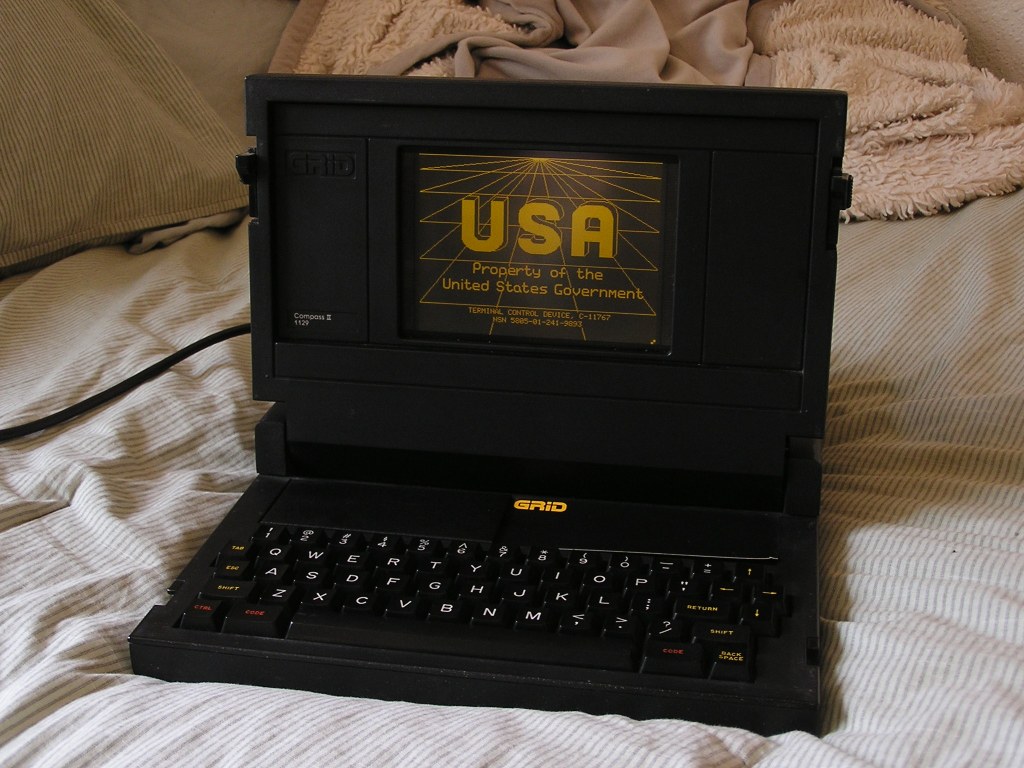
    My Very Own GRiD Compass II “Laptop”, from 1984!

    While down in LA, I stopped by Apex Surplus, an recycling/surplus/movie prop store. They have a whole warehouse full of electronics, cool vintage and antique radios, computers, terminals, TVs, and more, plus a yard out back of scrap metal with pieces used to make the original Droids in Star Wars, technology that inspired the displays in Star Trek, and more – Basically, my dream place to spend a few hours.

    Most of these computers are rental-only, for filmmakers to use as props for TV shows and movies. There are some truly old pieces of computing history here!

    Aside from befriending Steve, a once-Oregonian synth enthusiast employee who lived in Sweden for 10 years and showed me around Apex, I also happened upon a nondescript black metal laptop tucked away among other old computers…

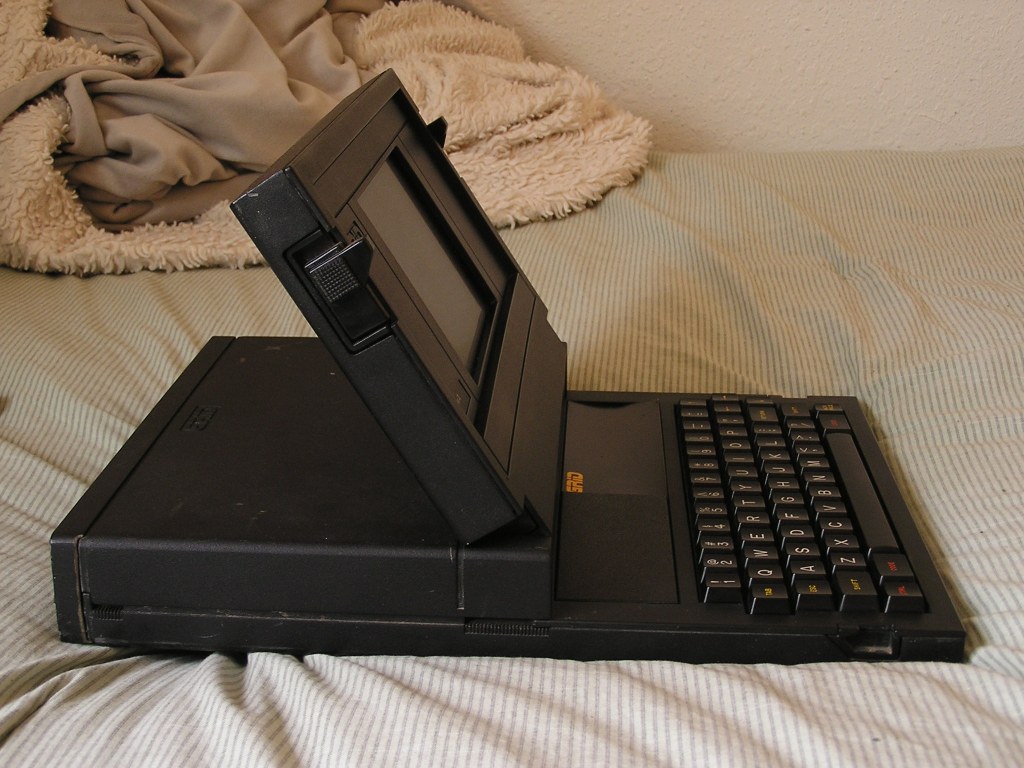
    The GRiD Compass II was a “Clamshell Portable” computer (some call it a laptop, but I think the lack of built-in battery makes it more of a portable) manufactured in the Early 1980’s. Credited by some as the first ever laptop, the GRiD Compass certainly inspired future generations of laptops, as it was one of the first laptop-shaped computers available. It was designed specifically to be extra rugged, with an all-metal case, “bubble” memory instead of a hard drive, and expandable ROM slots for storage instead of an internal floppy drive. This made it especially expensive (over $24,000 once adjusted for inflation!), but that didn’t matter to the target buyer.

    Where would you need to use a state-of-the art portable computer that can withstand radiation, extreme temperatures, and heavy vibrational forces? In space, of course!

    John Creighton with a GRiD Compass on the Space Shuttle Discovery in 1985.

    Yup! The GRiD Compass was bought by NASA, among other government agencies. Mine unfortunately wasn’t a NASA computer, but it clearly belonged to some government branch, according to the splash screen when it boots up.

    The special ELD display is crisp and very retro. It uses a similar technology to neon signs! LCDs, used in most laptops today, were not widespread or robust when the GRiD was developed.

    Mine wasn’t working when I bought it, it only displayed an “CCOS Not found” message. However, re-seating the ROM chips that store the operating system worked fine, and after (probably about 40 years!) it booted right up to a login screen.

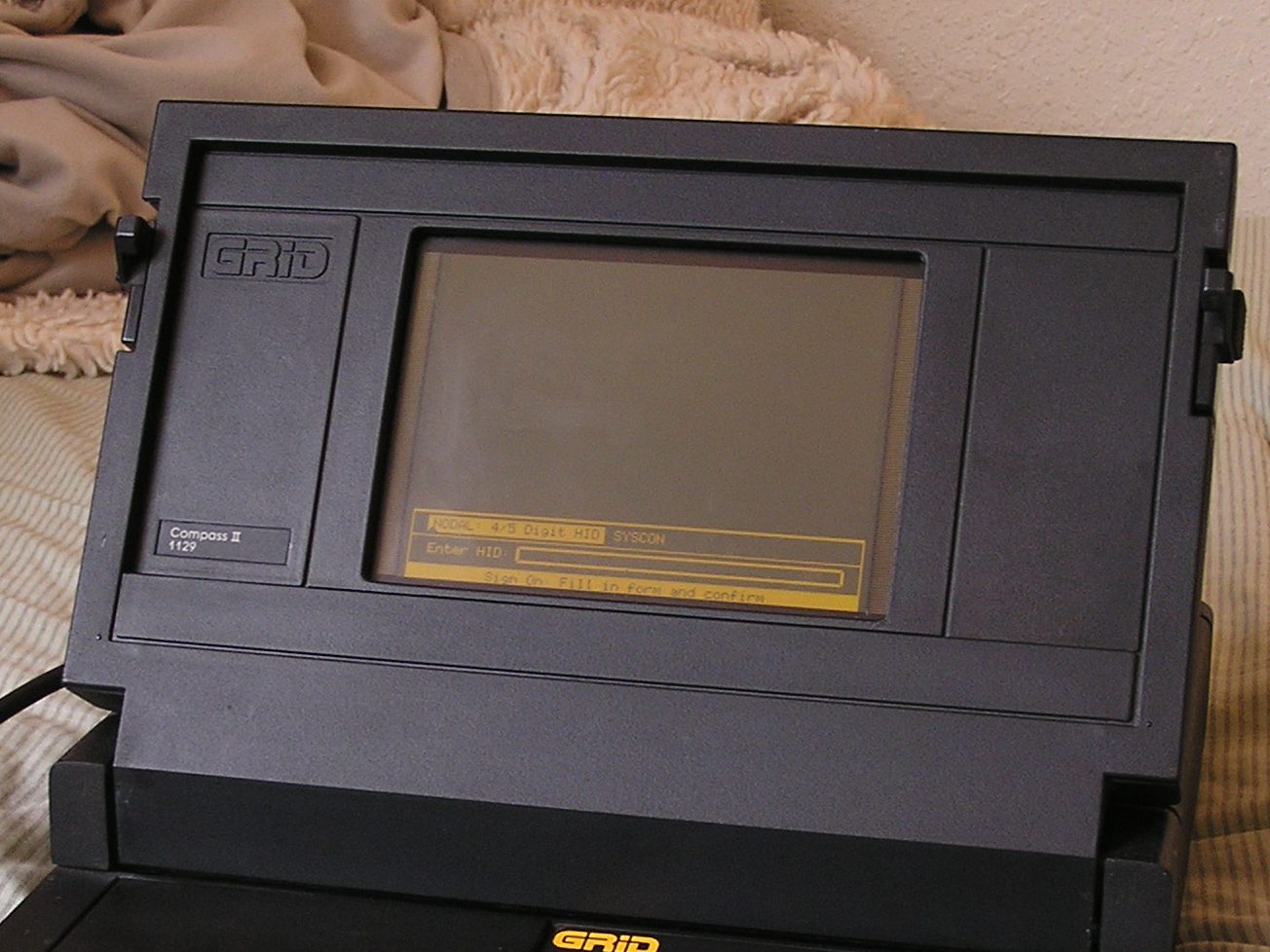
    The login screen. The SYSCON option seems to require an external floppy drive to be connected.

    With some lucky guessing, I figured out the password (it was the 5-digit terminal number on the splash screen) and started fiddling around with it. Nothing interesting has presented itself – most of the files on the computer are password protected (no surprise) and the programs are an email client (yes, from 1984!), a printing program, a table editor (not sure what type of table), and a file manager.

    The simple graphical UI presented once you log in.

    They’re all accessed through a simple graphical interface which can be navigated via the keyboard. My best guess is that this was intended to be a portable terminal to log into a government computer network of some kind (probably via phone lines, it has a phone-line modem on the back and a program for receiving and sending files via phone), but what it was used for, I can’t determine.

    Ports aside from power include an unusual Serial connector, a telephone modem for network connection, and the “GPIB” connector (I think this is a parallel port, essentially) for hard drive, floppy drive, and printer connections.

    Everything seems to be locked down via a custom OS (probably a program that runs at boot and doesn’t allow access to the normal GRiDOS or GRiD-DOS environment), and so far I can’t figure out if there’s a way to exit it.

    GRiDWrite seems to be developed by GRiD, but for this custom version of the OS, is used only for composing and viewing emails.

    At some point, I want to try to restore this to the normal operating system that would have shipped with these, after backing up the contents of the bubble memory (where the custom OS is likely stored) somehow. Very little seems to be known about these systems though, so that will be a project for later.

    This should be my last post before actual travel content! I fly to Boston on Wednesday, so once I get my GRiD Compass enthusiasm out of my system, I’ll be in full-blown packing mode.