Uh oh, another pre-travel blog post!

While down in LA, I stopped by Apex Surplus, an recycling/surplus/movie prop store. They have a whole warehouse full of electronics, cool vintage and antique radios, computers, terminals, TVs, and more, plus a yard out back of scrap metal with pieces used to make the original Droids in Star Wars, technology that inspired the displays in Star Trek, and more – Basically, my dream place to spend a few hours.

Aside from befriending Steve, a once-Oregonian synth enthusiast employee who lived in Sweden for 10 years and showed me around Apex, I also happened upon a nondescript black metal laptop tucked away among other old computers…
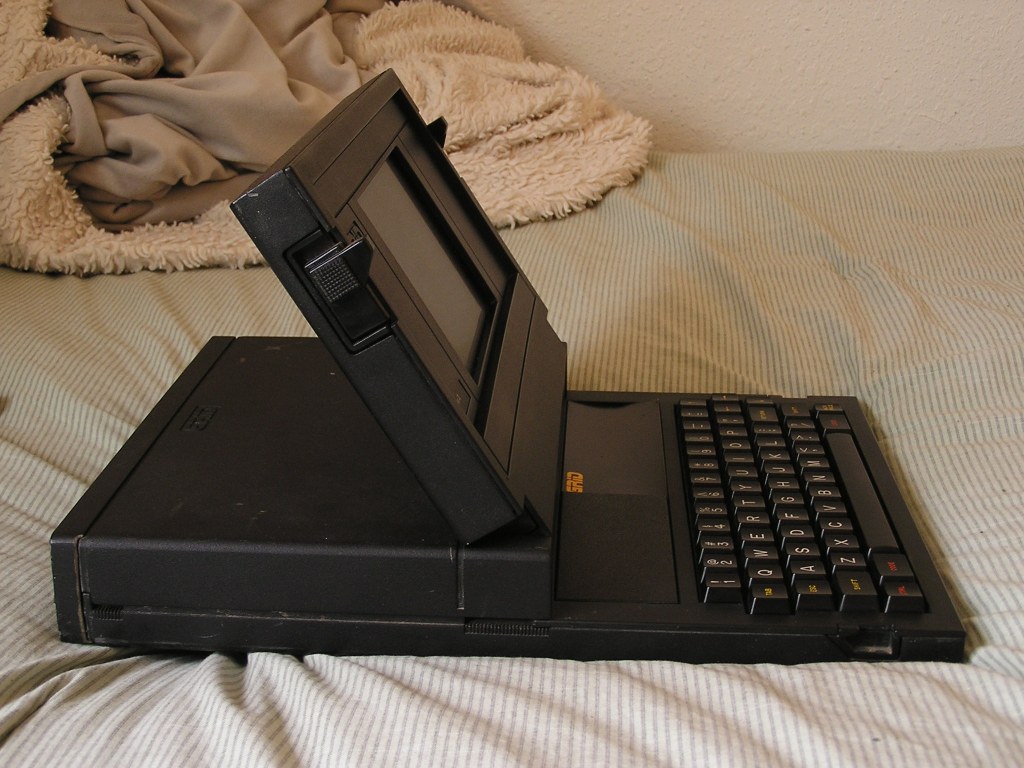
The GRiD Compass II was a “Clamshell Portable” computer (some call it a laptop, but I think the lack of built-in battery makes it more of a portable) manufactured in the Early 1980’s. Credited by some as the first ever laptop, the GRiD Compass certainly inspired future generations of laptops, as it was one of the first laptop-shaped computers available. It was designed specifically to be extra rugged, with an all-metal case, “bubble” memory instead of a hard drive, and expandable ROM slots for storage instead of an internal floppy drive. This made it especially expensive (over $24,000 once adjusted for inflation!), but that didn’t matter to the target buyer.
Where would you need to use a state-of-the art portable computer that can withstand radiation, extreme temperatures, and heavy vibrational forces? In space, of course!

Yup! The GRiD Compass was bought by NASA, among other government agencies. Mine unfortunately wasn’t a NASA computer, but it clearly belonged to some government branch, according to the splash screen when it boots up.
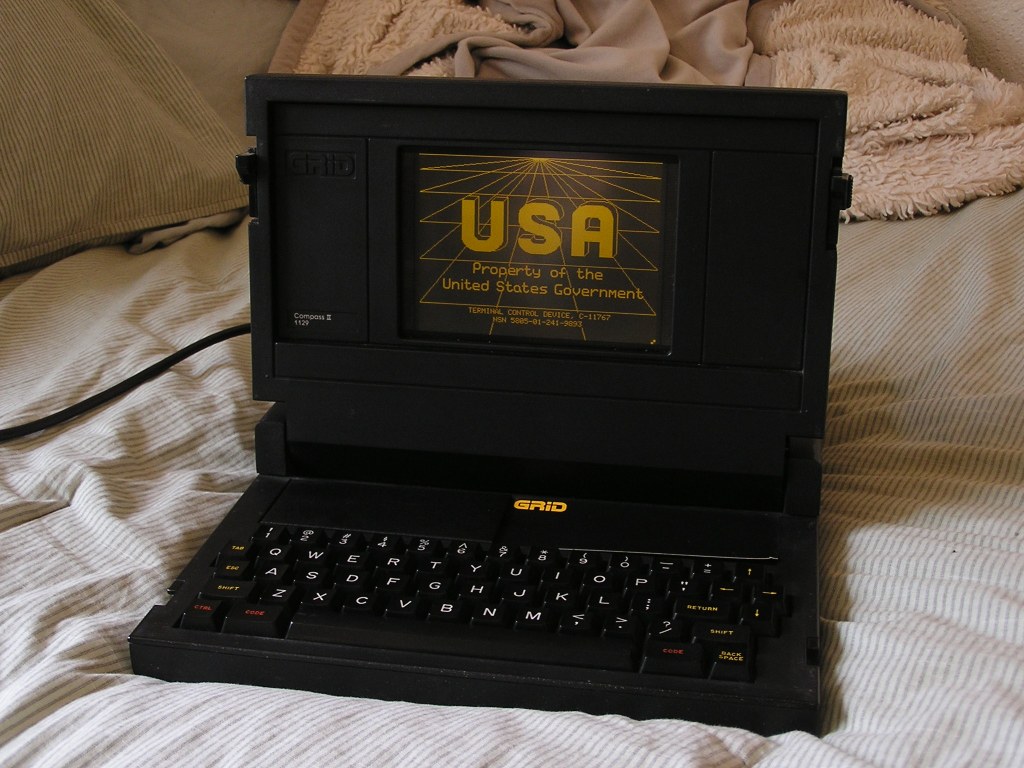
Mine wasn’t working when I bought it, it only displayed an “CCOS Not found” message. However, re-seating the ROM chips that store the operating system worked fine, and after (probably about 40 years!) it booted right up to a login screen.
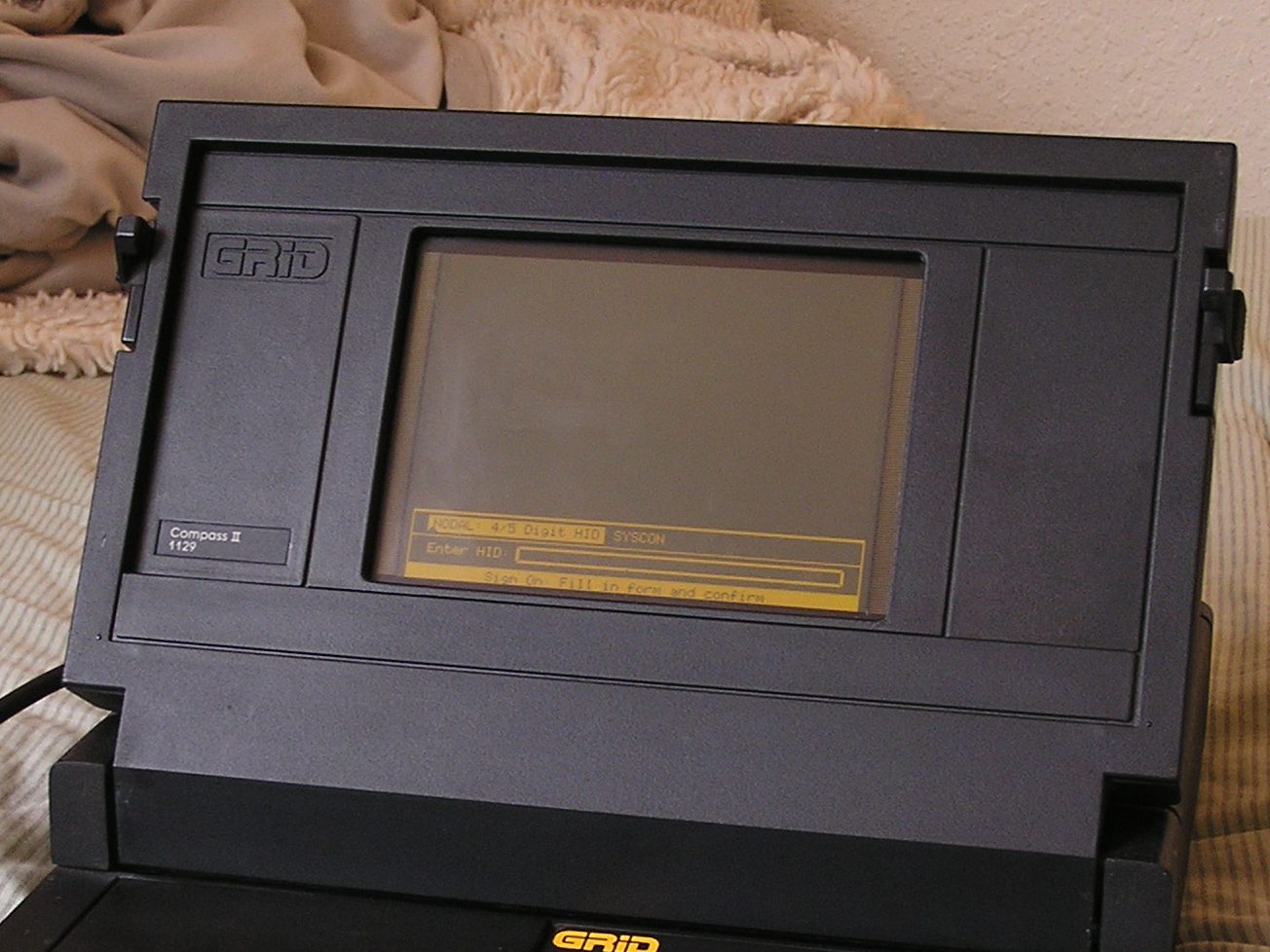
With some lucky guessing, I figured out the password (it was the 5-digit terminal number on the splash screen) and started fiddling around with it. Nothing interesting has presented itself – most of the files on the computer are password protected (no surprise) and the programs are an email client (yes, from 1984!), a printing program, a table editor (not sure what type of table), and a file manager.

They’re all accessed through a simple graphical interface which can be navigated via the keyboard. My best guess is that this was intended to be a portable terminal to log into a government computer network of some kind (probably via phone lines, it has a phone-line modem on the back and a program for receiving and sending files via phone), but what it was used for, I can’t determine.

Everything seems to be locked down via a custom OS (probably a program that runs at boot and doesn’t allow access to the normal GRiDOS or GRiD-DOS environment), and so far I can’t figure out if there’s a way to exit it.

At some point, I want to try to restore this to the normal operating system that would have shipped with these, after backing up the contents of the bubble memory (where the custom OS is likely stored) somehow. Very little seems to be known about these systems though, so that will be a project for later.
This should be my last post before actual travel content! I fly to Boston on Wednesday, so once I get my GRiD Compass enthusiasm out of my system, I’ll be in full-blown packing mode.


 jacobblogs
Leave a comment